


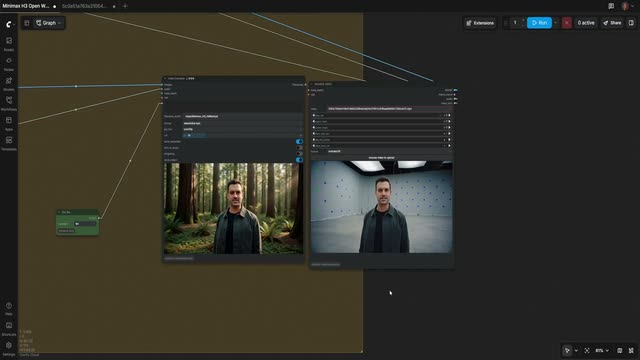





Workstations & rendering
Run ComfyUI on hardware you control. Scope shared infrastructure and deployment with your technical team.
 VFX
Change the light, replace an object, extend the frame. Build repeatable VFX workflows with Comfy, then bring them into your studio’s pipeline.











Compare golden hour, night, red sky, rain, snow and daylight versions of the same shot. Choose a version to see it play.

Sample studio. Explore the supplied outputs and prepare a workflow request.
YOUR FOOTAGE
Sample · Starlite Diner
1280 × 720 · 24 fps · 121 frames
Use the supplied sample to explore the workflow.
Sign up to try Comfy Cloud with your own footage.
SIGN UP TO TRY FREECopy this request to use when customizing the workflow in Comfy Cloud.
Change the conditions. Selected sample: Golden hour Shot description: Exterior of a chrome roadside diner with a glowing Starlite Diner sign. A turquoise sedan is parked on the wet asphalt.
Agent handoff is not connected in this sample.
Watch the original shot alongside Toyota Century, London taxi and Fiat 500 versions.

Sample studio. Explore the supplied outputs and prepare a workflow request.
YOUR FOOTAGE
Sample · Snowy backlot
1280 × 720 · 24 fps · 121 frames
Use the supplied sample to explore the workflow.
Sign up to try Comfy Cloud with your own footage.
SIGN UP TO TRY FREECopy this request to use when customizing the workflow in Comfy Cloud.
Change the car. Selected sample: Toyota Century Shot description: A snowy European street on a film backlot. A woman in a red coat walks towards the camera. A vintage car is parked at the end of the street.
Agent handoff is not connected in this sample.
Compare ultra-wide and vertical formats with the landscape original.


Sample studio. Explore the supplied outputs and prepare a workflow request.
YOUR FOOTAGE
Original footageUltra-wideSample · Forest
Use the supplied sample to explore the workflow.
Sign up to try Comfy Cloud with your own footage.
SIGN UP TO TRY FREECopy this request to use when customizing the workflow in Comfy Cloud.
Extend the frame. Selected sample: Ultra-wide Shot description: A landscape forest image. Extend beyond the original frame to fit the selected delivery format.
Agent handoff is not connected in this sample.
Explore a multishot sequence, a push-in and an orbit generated from the same rainy-street reference clip.

Sample studio. Explore the supplied outputs and prepare a workflow request.
Multishot sequence
Sample · Rainy street
Use the supplied sample to explore the workflow.
Sign up to try Comfy Cloud with your own footage.
SIGN UP TO TRY FREECopy this request to use when customizing the workflow in Comfy Cloud.
One take. A new point of view. Selected sample: Multishot sequence Shot description: A man carrying a black umbrella walks along a rainy Parisian street at night. Café lights reflect on the wet cobblestones.
Agent handoff is not connected in this sample.
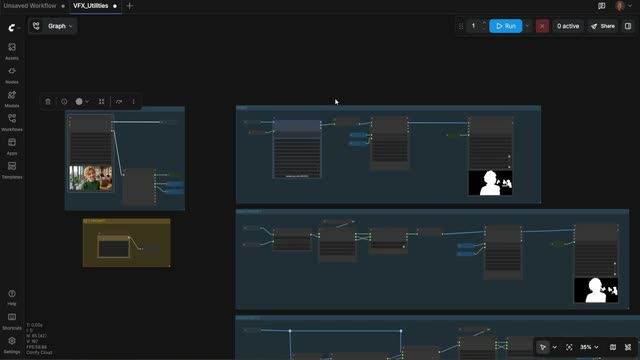
Open the graph, inspect the steps, and adapt it to your footage.
Run ComfyUI on hardware you control. Scope shared infrastructure and deployment with your technical team.
Inspect models, masks, parameters, and processing steps. Keep the workflow editable as the shot evolves.
Run workflow graphs from code and connect them to existing tools. Use the Comfy SDK with Cloud or a ComfyUI you host.
Extend the pipeline through custom nodes and community integrations. Evaluate each integration for your studio’s tools and requirements.
MANAGED BUILDS
Pin the ComfyUI release, nodes, models, and dependencies. Give your team a consistent build wherever the work runs.
COMFYUI RELEASE
PYTHON · PYTORCH · CUDA
CUSTOM NODES
MODELS
v0.3.41 · py3.12 · torch 2.6
4 nodes · 3 models · pinned
Review the commercial licensing offering for MiniMax and ask Comfy about provider-specific terms for other local models. Model rights depend on the model and intended use.
Discuss Cloud, Developer Platform, or infrastructure you control. Dedicated capacity, onboarding, support, and response commitments are scoped in your enterprise agreement.
Discuss company identity, approved build access, private assets, and your studio’s security requirements with Comfy. Scope the review around your deployment plan.